


GARMIN is excited to share some news about new tools and enhancements for Garmin Pilot Web. These changes make it easier for pilots to see and select their routing when flight planning on Garmin Pilot Web.
New routing tools and a new Routes user interface allow pilots to compare, sort, and select a route to fly to their destination. Additionally, a new graphical editing feature allows users to drag and drop their route where they want on the map.
A few details of the changes are below:
New Route Display
- This update introduces a new user interface so users can more easily compare routing options and select the best one for them.
- Users can now hover over routes listed in this new UI, which highlights them on an incorporated map, to more easily compare options.
- Users can also sort these route options by altitude, distance, time or fuel used.
- This new UI simplifies selecting a route by showing optimum routes.
- Garmin Pilot Web will also now look at the aircraft type being used on the route and filter routes by altitude (e.g. it looks at the aircraft maximum altitude). Users can override this function if needed.
- A new preferences modal is available in this UI for Garmin Pilot Premium subscribers, where they can set route types or set preferred routing by
altitudes. They can also select routes they don’t want to use, like no TEC routes or CDRs. - The new UI also calls out / shows limitations of certain routing, such as those based on aircraft type, speeds, or landing direction.
Graphical Editing on Web
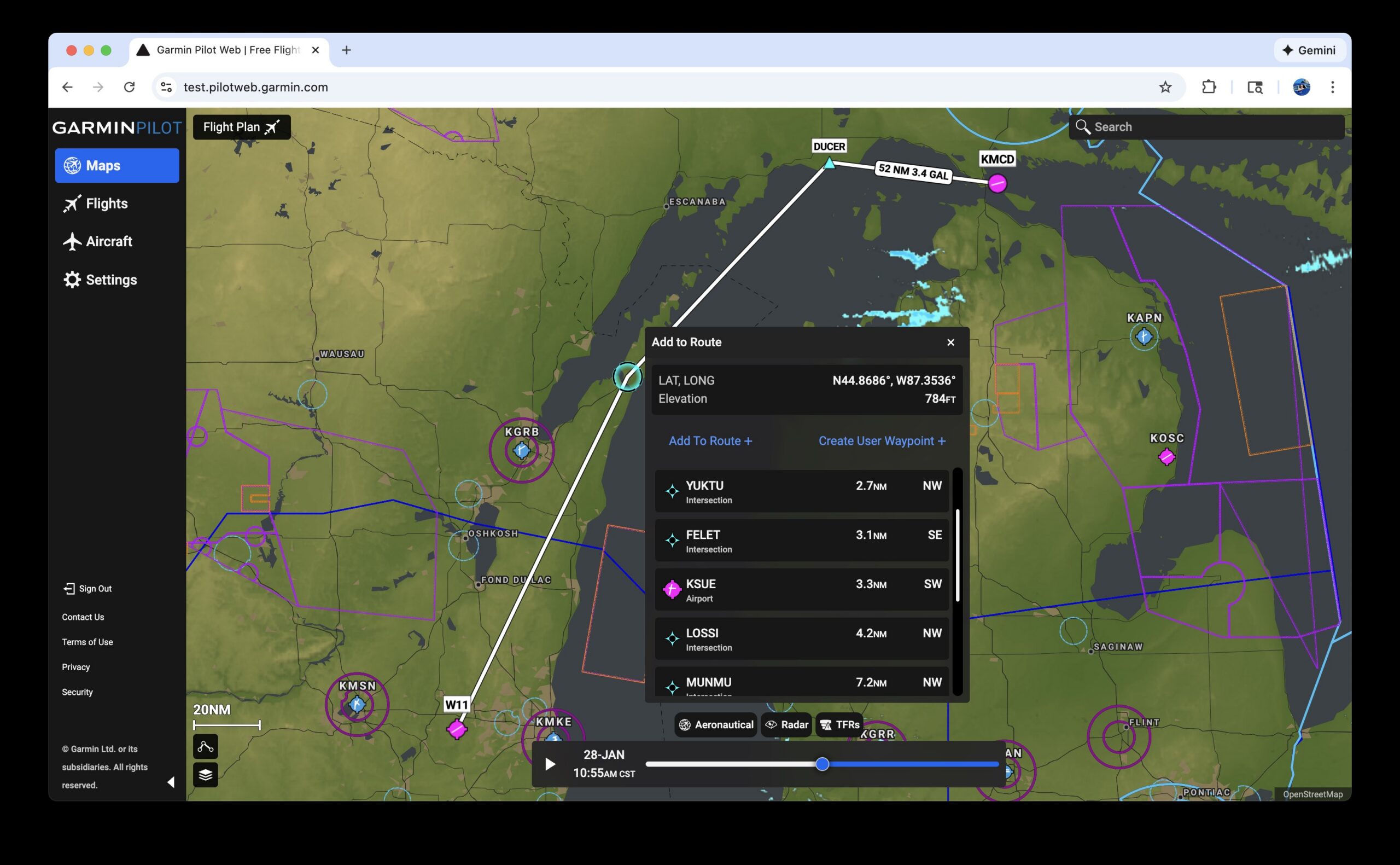
- A highly requested feature, users will now be able to drag and drop their route line around on the map to draw their route. When the user drags and drops the route line on the map, a new pop-up menu will appear to let them easily select the closest waypoint or airport, or the latitude/longitude the route was dropped on.
TEC Routes
- TEC routes are now available on Garmin Pilot Web on the Routes page.
These features are now live at PilotWeb.Garmin.com.
